GPS Linking
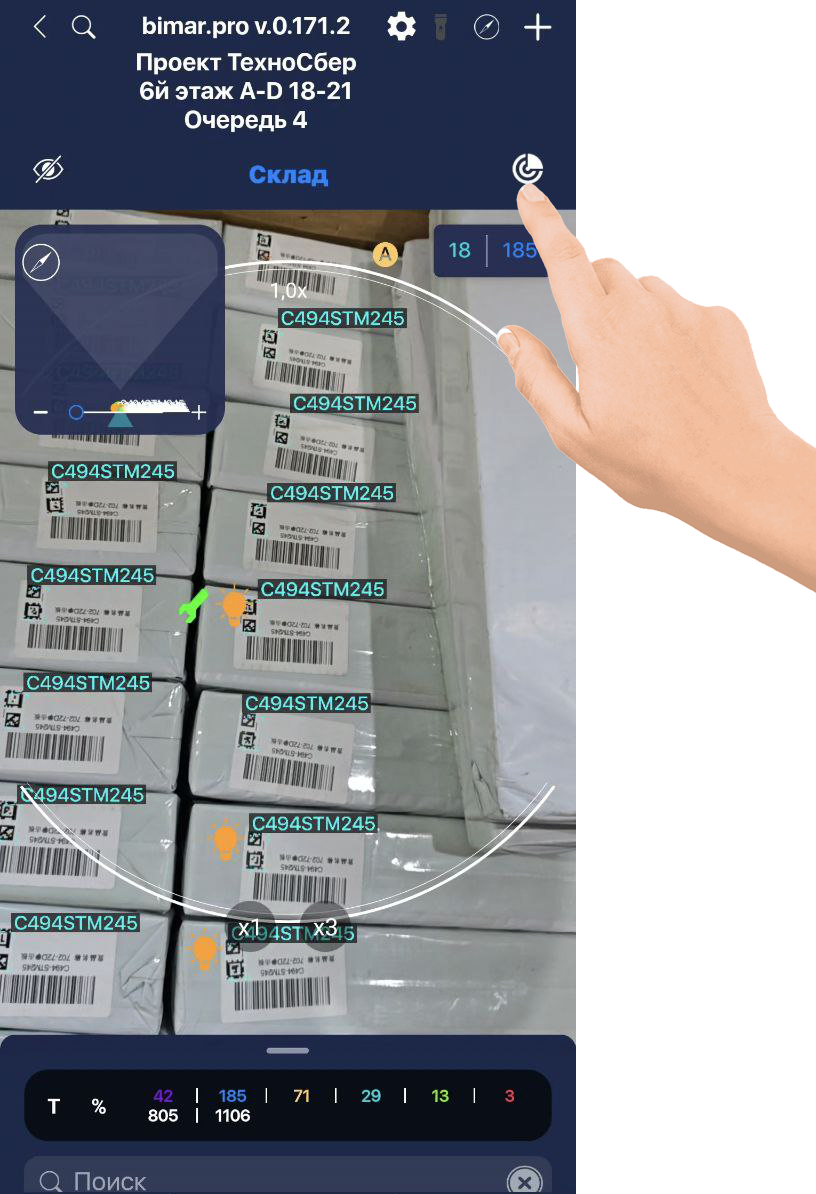
When scanning elements in any module, GPS linking is disabled by default. To attach an element to GPS coordinates, enable GPS Linking by tapping the  icon in the top-right corner of the screen. After scanning, elements will be linked to their geolocation and displayed on the map.
To view element locations on the map, tap the compass icon  .
.
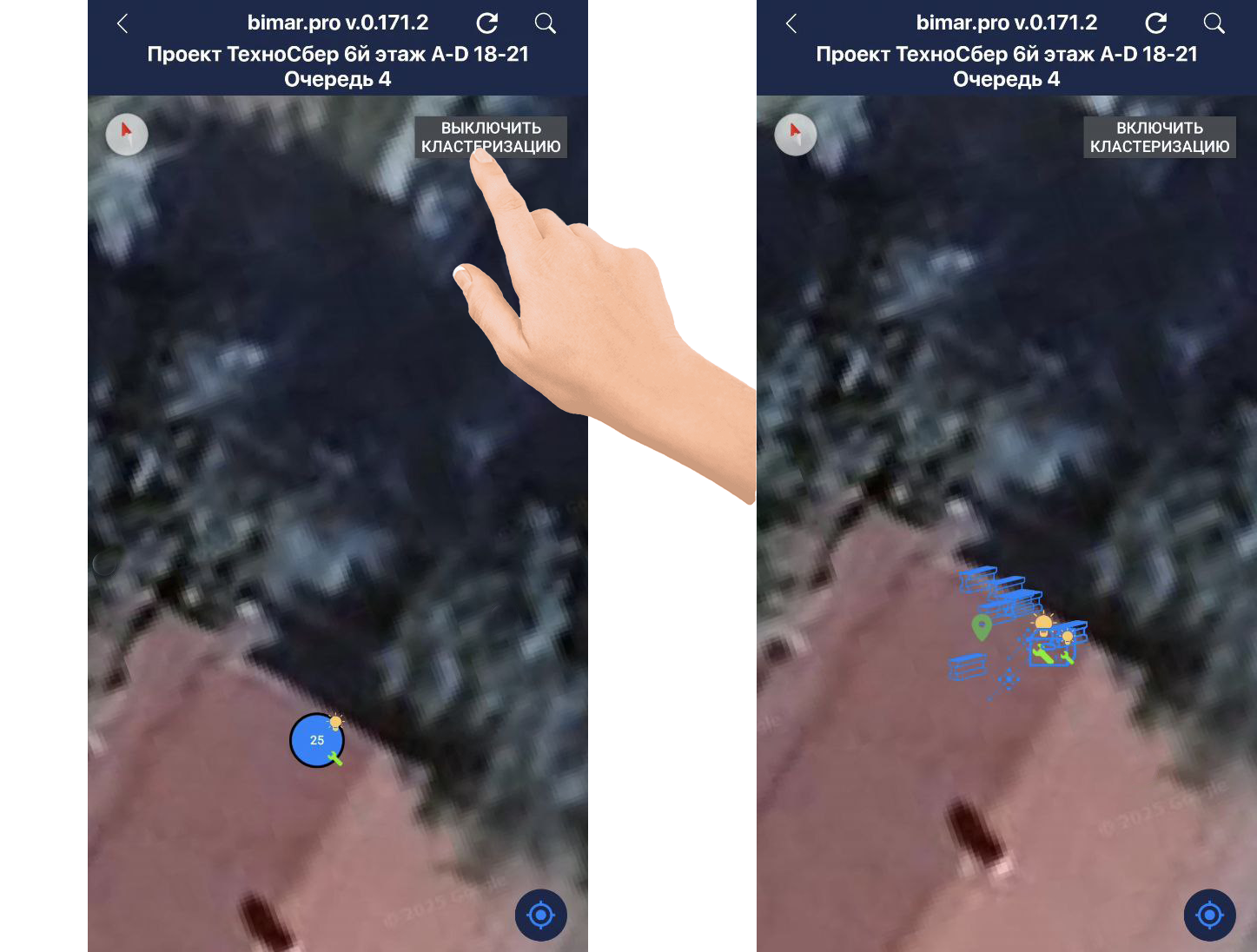
Clustering groups elements on the map and shows how many are in a given area. To see elements individually, tap TURN OFF CLUSTERING.
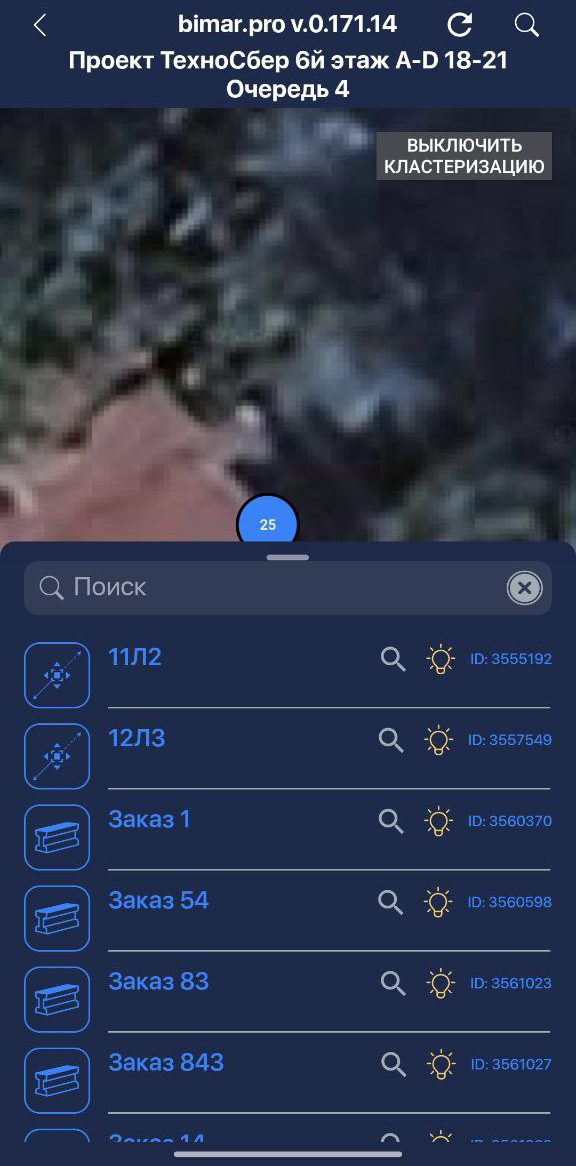
- With clustering enabled, tapping a cluster circle will expand a list of elements in that area.
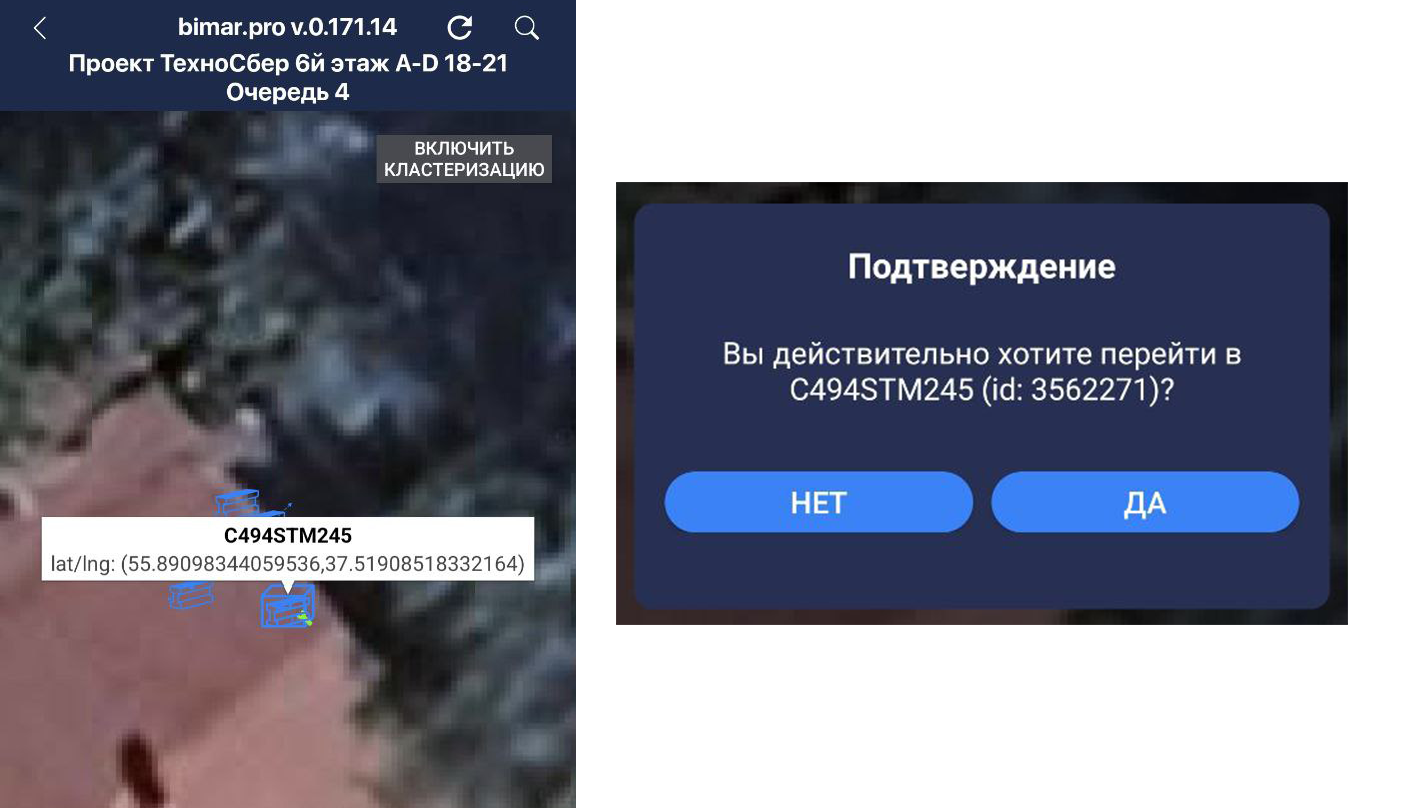
- With clustering disabled, tapping an element will show its name; clicking the name will open its element card.