General requirements for SolidWorks models for uploading to the Bimar System
These requirements must be met so that models can be loaded into the Bimar system without errors.
- It is forbidden to package the assembly in a single file
- It is forbidden to package the entire model in the STP format, an example in the figure:

- The model ** must** contain a set of folders and files for each part from the assembly
- This folder ** must** contain files of parts and assemblies, an example in the figure:
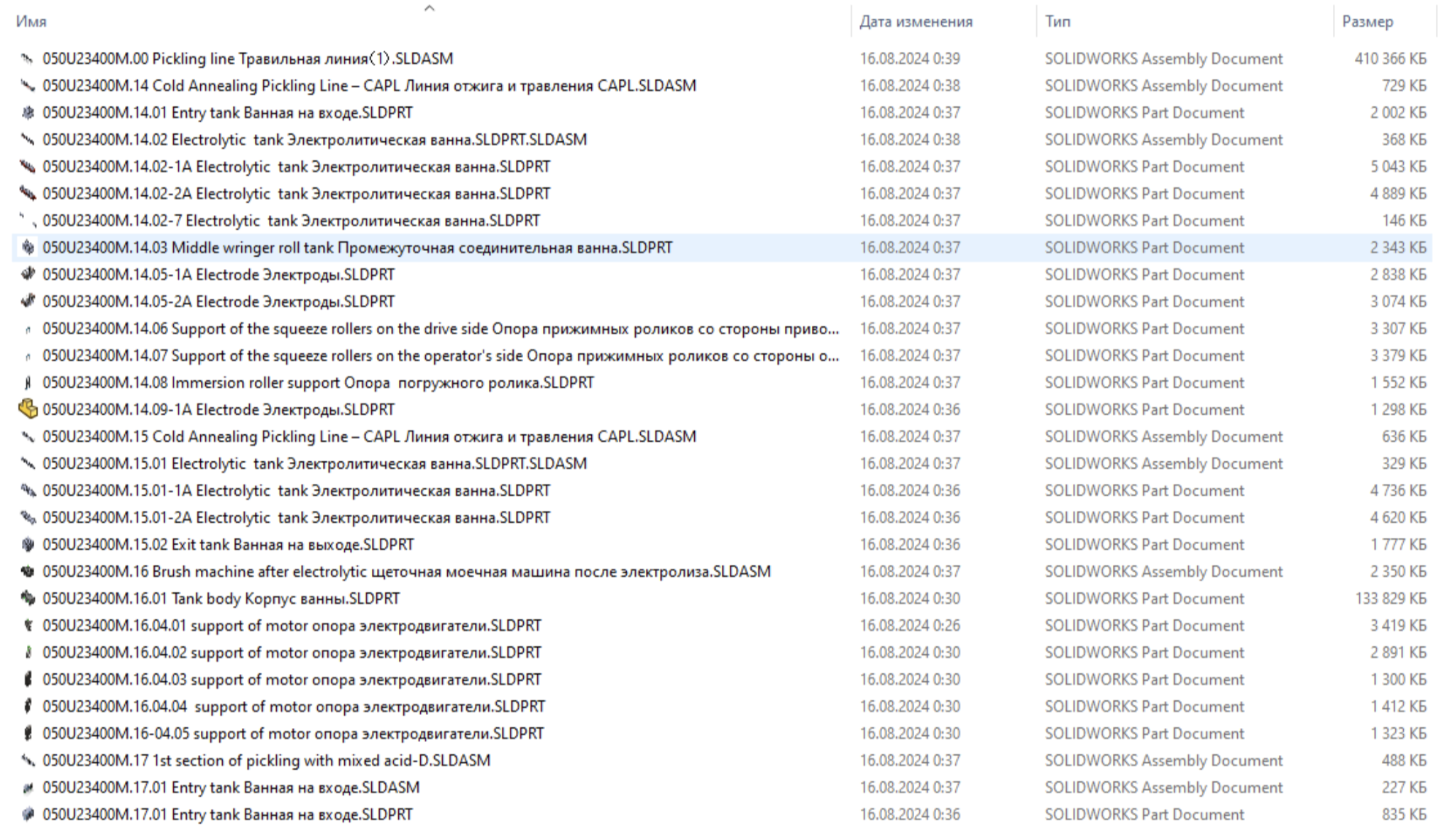
- With a large amount of information it is mandatory to divide the model into logical subsections, mounting units (equipment). It should be separated in such a way that, when superimposed on each other, they necessarily coincide.
- When opening a project ** there should be no errors** as shown in the picture. Also, the model should not break if a rebuild occurs. No warning signs should be present, examples:
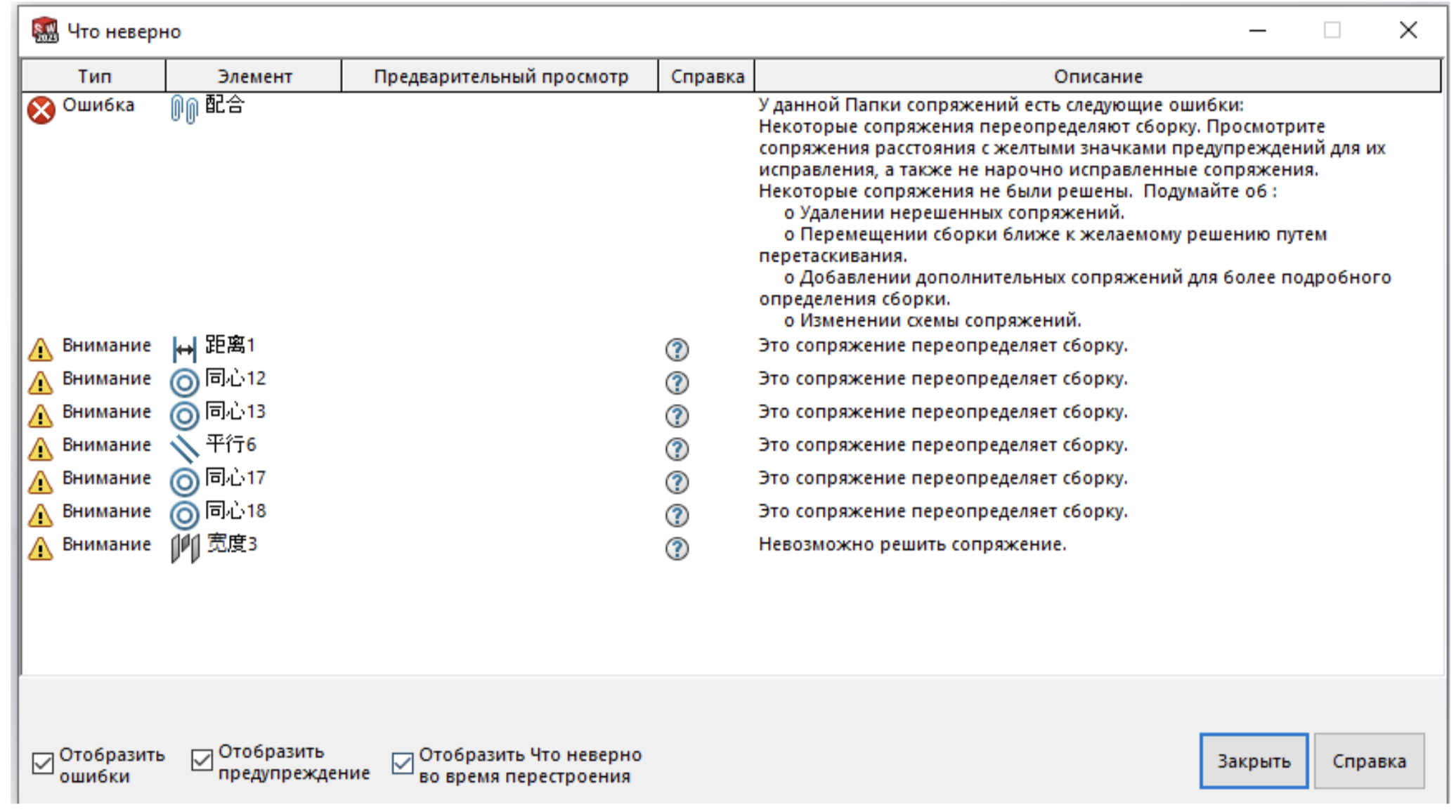
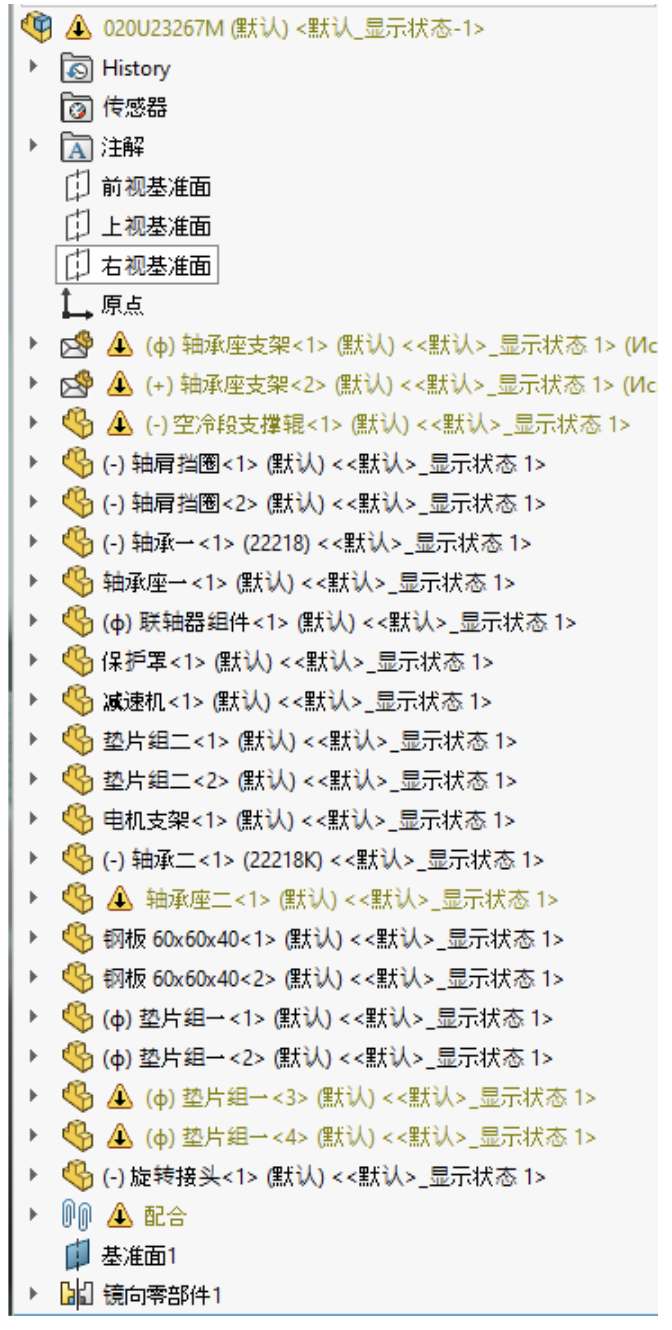
-
- It is recommended* to follow the naming system so that the most important assembly is at the very top
- It is recommended to use a separate file where the design axes are located for insertion into the design position
- It is not recommended to import third-party formats into a Solidworks project (IFC, STP). If you uploaded a third-party format, then need to save it as a detail, example:
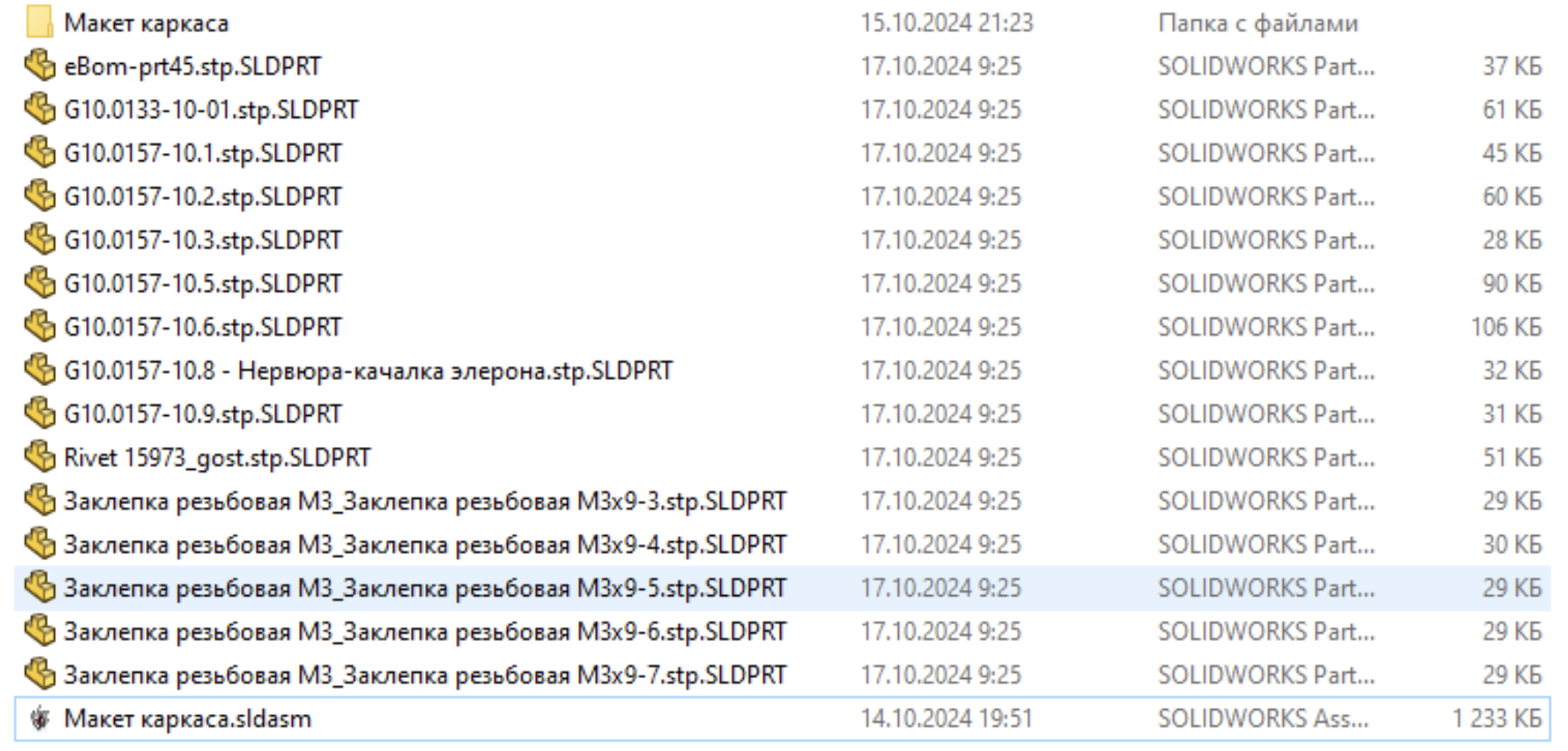
- The entire project should be archived in the format.zip or .7z without password and divided into 4GB volumes.