General requirements for Revit models for uploading to the Bimar System
These requirements must be met so that models can be loaded into the Bimar system without errors.
- All the details in the project that you plan to upload should not be in related models
- Avoid elements located at a great distance from the origin
- All details must be without duplicating the geometry
- The model must be available to create shared custom attributes, permission to write data to objects
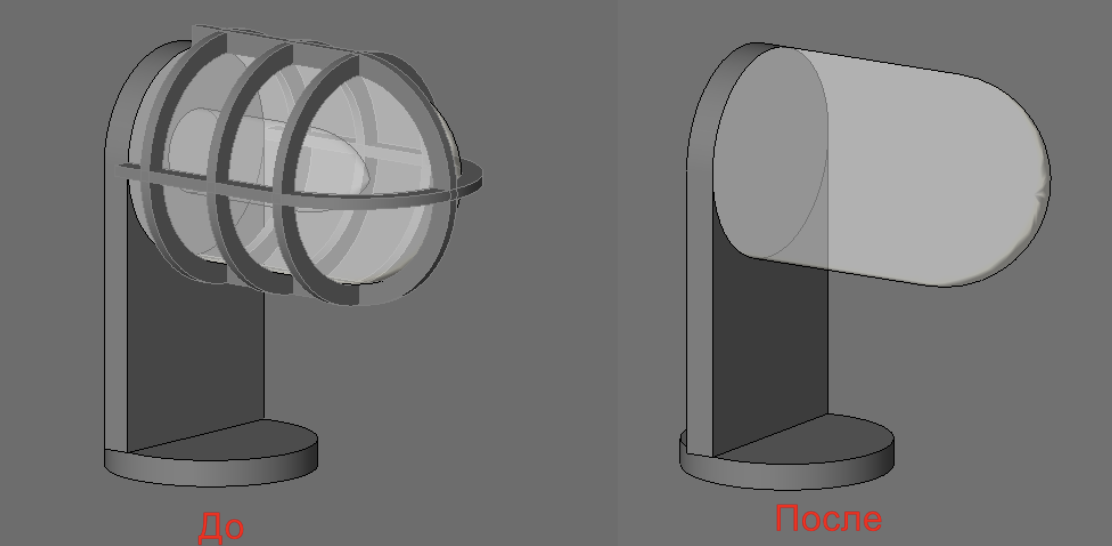
- The geometry in the model ** should not** be detailed, simplify as much as possible, as shown in the figure:
- The view ** should not** contain objects that the marker will not stick to. For example, pipeline insulation duplicates geometry, but the insulation itself may not be analyzed if pipe accounting is important.
- Annotations, sizes, and other attributes should not be present in the uploaded (filtered) form.
- If one model is too big, filter out a part of the project for uploading