Create a Compass 3D project
Before starting to create a project, read the model requirements
You can also read the video tutorial
Configuring IFC export to KOMPAS-3D
Before creating a project, you must pre-configure the export to the IFC format: File → Save as.
The settings should be set according to the examples provided.:
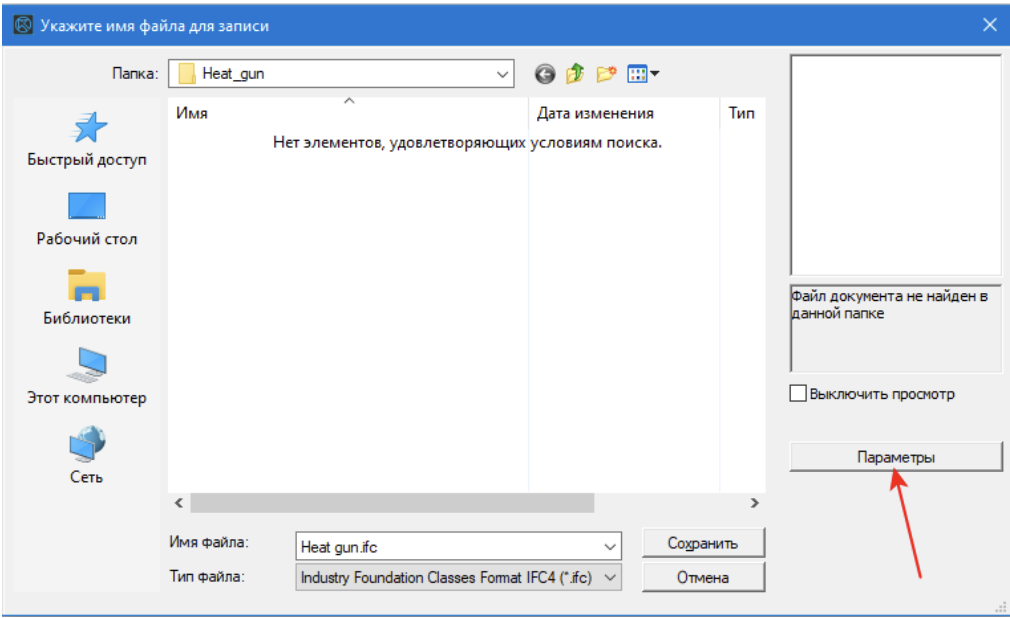
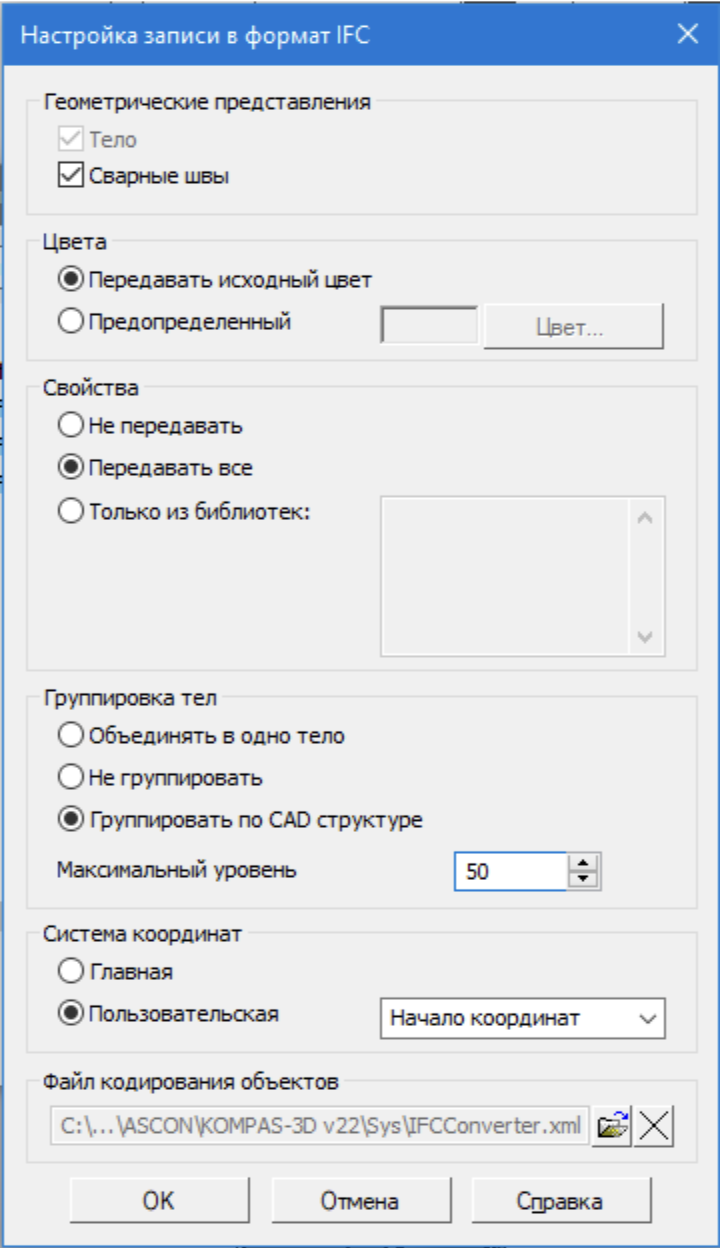
After setting the parameters, click OK, and then Cancel.
This procedure ensures that the correct settings are applied during automatic export via the plugin.
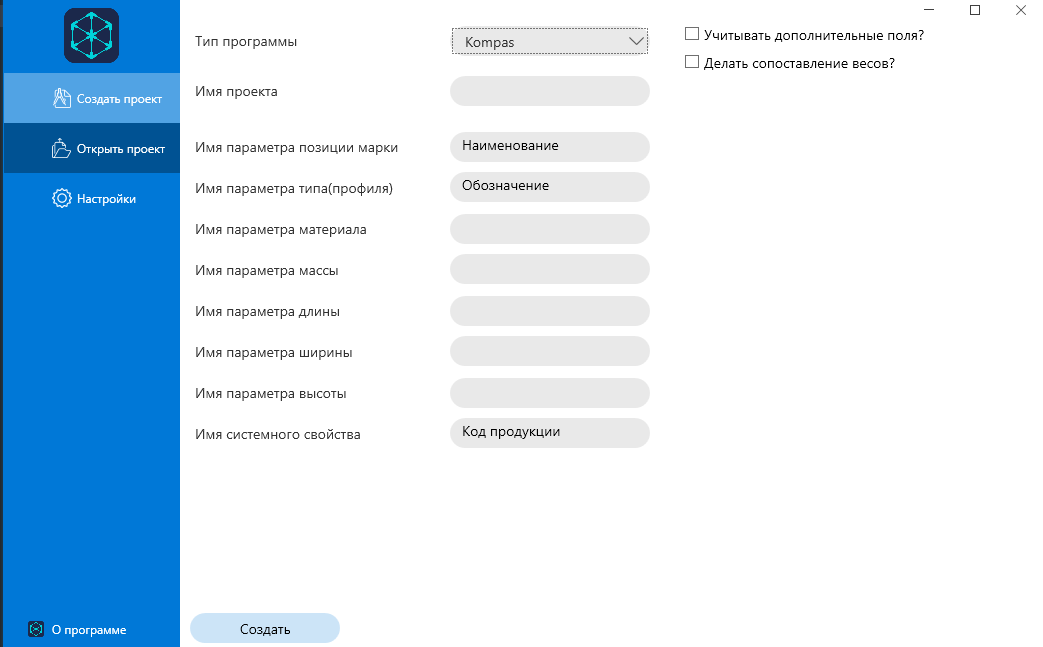
Creating a project in Bimar.Application
- Specify the project name.
- Select the parameter to be used for the part brand and for the type parameter. You can check the available parameters in the properties of the model and component.
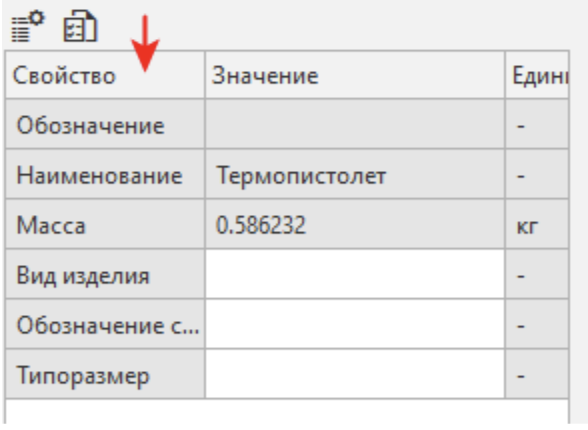
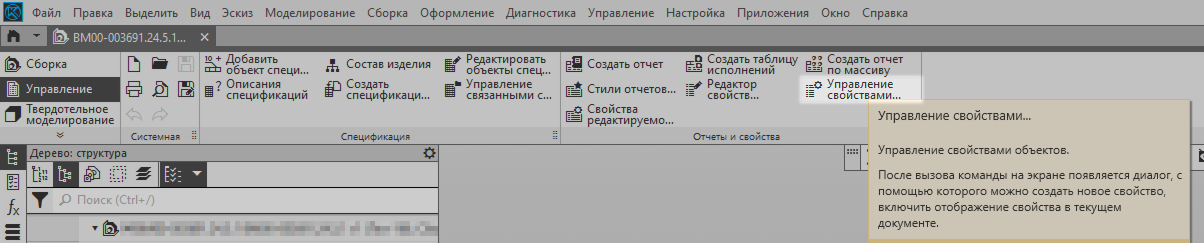
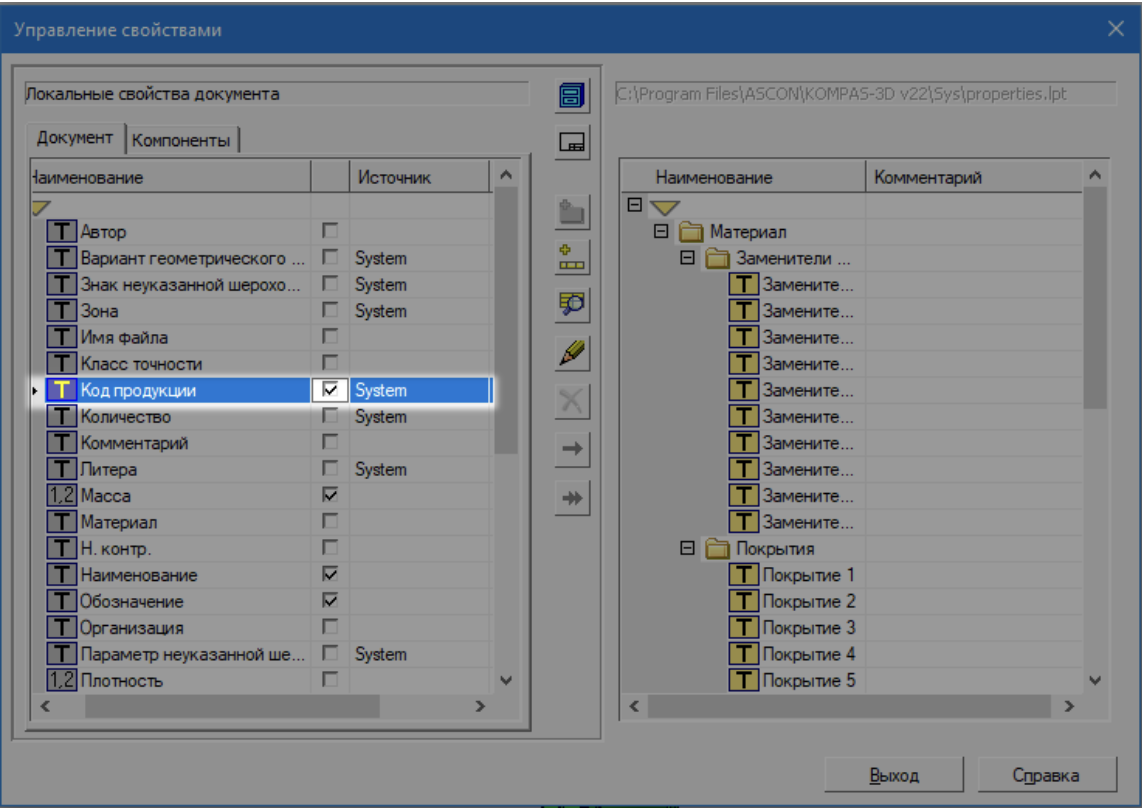
- Add any system parameter that is not used in your work to store the service identifier BimarGuid. This is a prerequisite for the correct functioning of the 3D model.
By default, it is recommended to use the Product Code parameter.
3.1
3.2
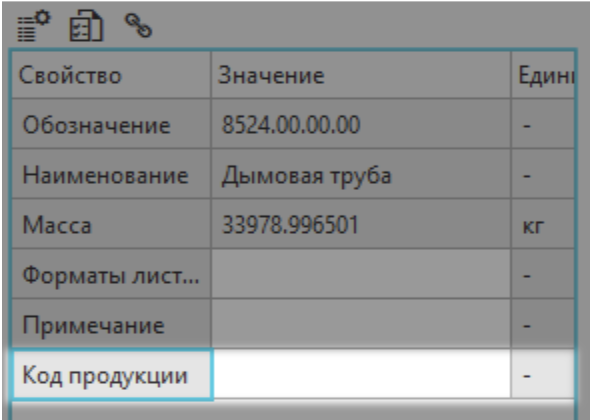
-
After filling in all the parameters, click **Create **.
Recommendations for working with parameters
- If you want to load all the properties used, make sure that they are accessible from the main build, as KOMPAS can hide properties in the upper levels of the hierarchy.
- When creating a project, the BimarGuid property will be automatically added to all the details, which is used to map objects on the server.
- Be sure to save the project after working with the plugin — this is necessary for future re-downloads when the model is changed.
- Run the project with a license that allows the plugin to make changes to the model.
⚠️ Possible errors
If an error occurs WrongSetingsIFC, possible causes:
- The system property specified for use has not been opened — it is mandatory, as it is being transferred to IFC.
- The plugin was unable to write the property to the part due to rights restrictions or file modification policies.
- IFC export is incorrectly configured.
- If the model is located on the server, try copying it locally and repeat the procedure.
- Sometimes the program itself is buggy and does not want to write this system property to IFC. Try restarting Kompas, check the license and the type of open component.