Getting started
After launching the plugin, a welcome window will appear. The interface consists of two main parts:
Left navigation bar
- Create a project - create a new export project
- Open a project - download an existing project
- Settings - configuration of plug-in parameters
- About the program - information about the version and developer
Right configuration panel
Basic Settings
- Program type - selection of the initial CAD system (Kompas, Tekla, IFC, Revit, Solidworks)
- Project name - name of the project being created
Export settings
Additional options
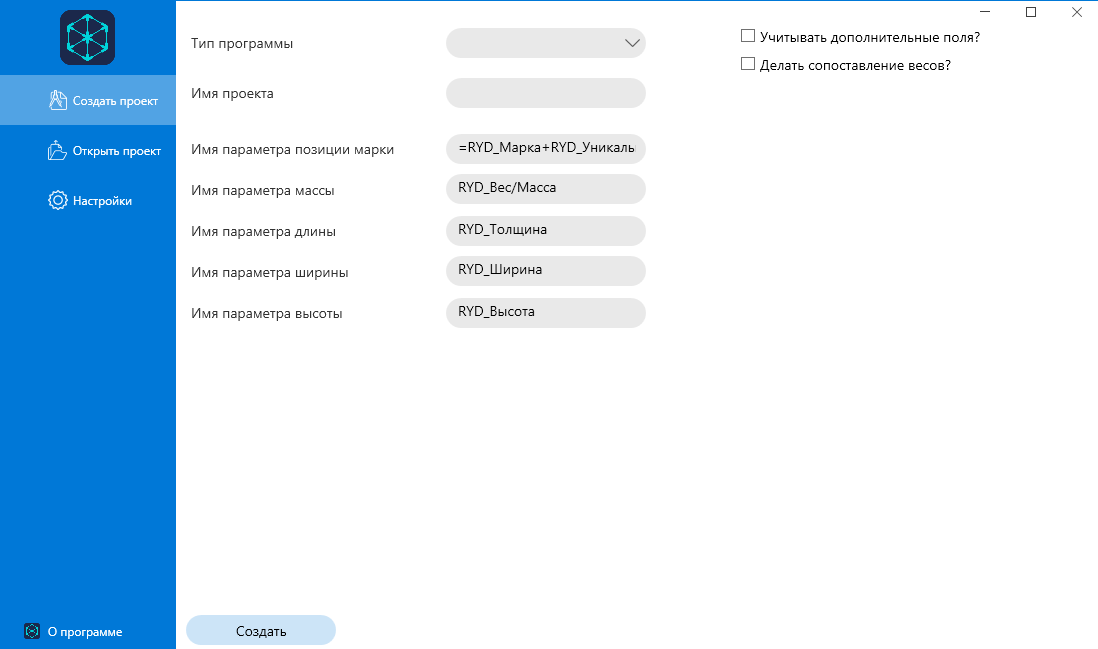
To create a project, fill in the required fields and click “Create”.