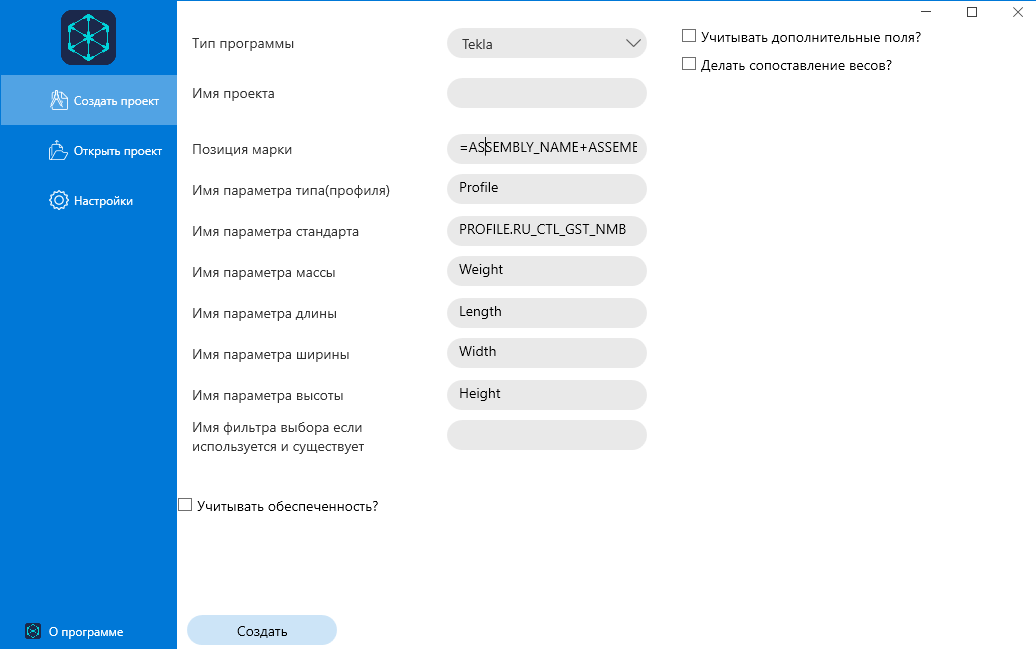
Create a Tekla project
Before creating a project, read the model requirements.
Video tutorial is also available.
How to create a project in Tekla
- Specify the project name.
- Set the ** weight parameter** for the shipping stamp, if it differs from the default value. A custom value is used after the build.
- Determine the list of assembly attributes necessary for the correct positioning of the brand. If you want several, start with the = sign and put a + sign between the attributes.
- If a selection filter is used, specify its name. However, it is recommended to select the objects manually to ensure that the upload is correct.
- Check that all downloadable stamps are numbered.
- If necessary, set the material security accounting option.
- Perform weight matching if necessary.
- Add additional fields if necessary.
- After filling in all the parameters, click “Create”.