Create a SolidWorks project
Before starting to create a project, read the model requirements
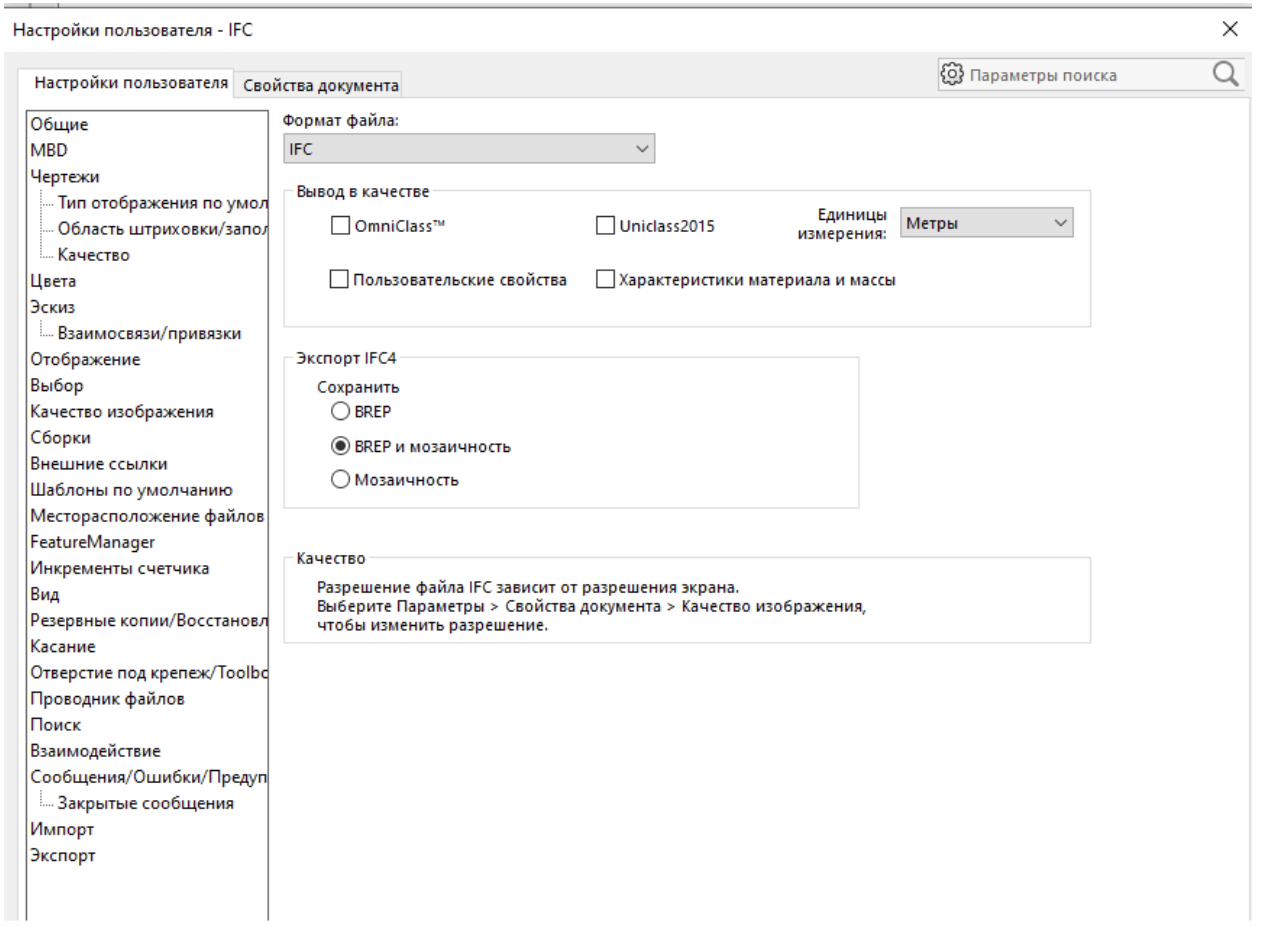
Configuring IFC Export
Before creating a project, make sure that the IFC export parameters are set correctly.
They should be configured as shown in the image below.:
Creating a project in Bimar.Application
To create a project, follow these steps:
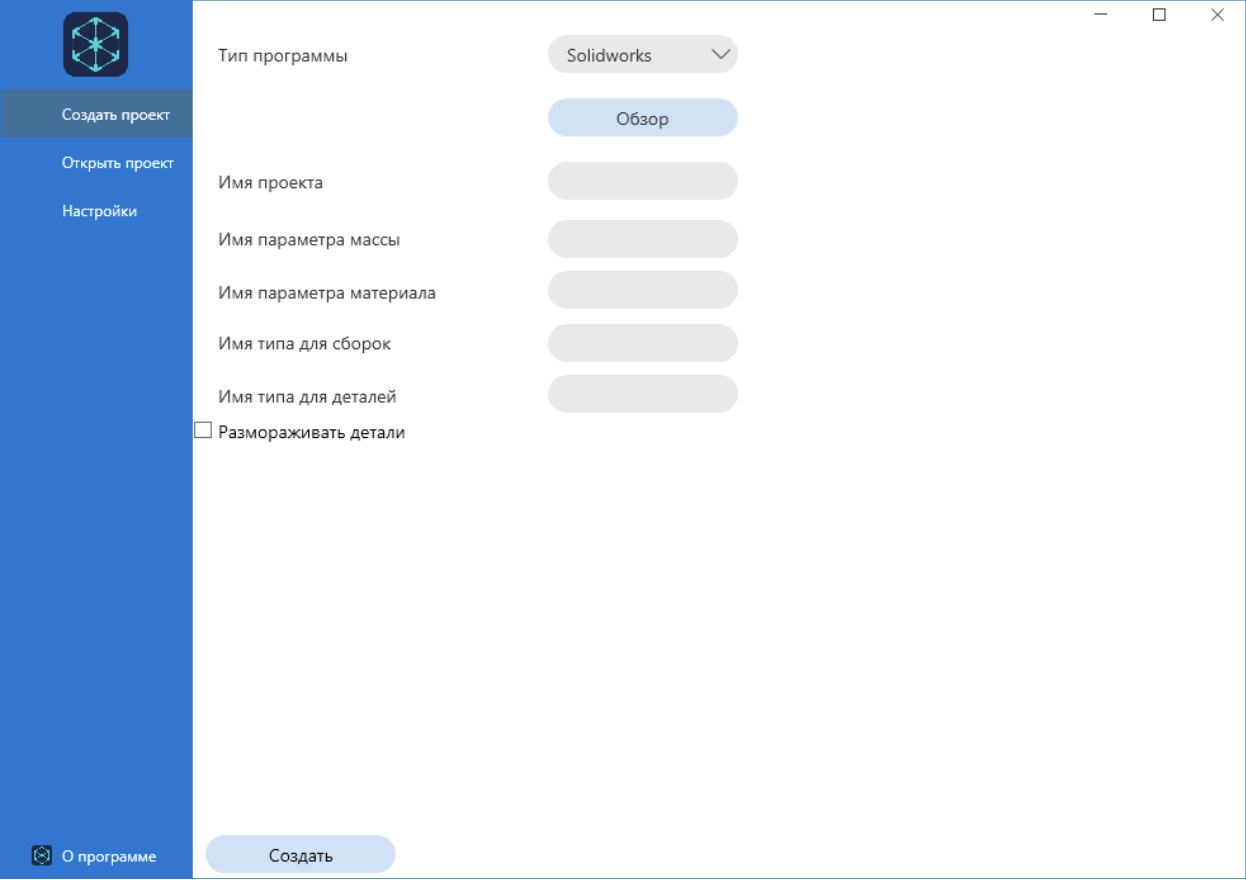
- Enter the project name in the appropriate field.
This name will be used in all modules of the Bimar system. - Specify the name of the property to be used for mass (the “Mass parameter Name” field).
- Set the property name for material (the “Material Parameter Name” field).
- Specify the name of the property Type name for assemblies.
- Specify the name of the property Type name for the parts.
- If necessary, activate the option to defrost parts — if there are frozen components in the model that require analysis.
- Perform weight matching if necessary.
- Add additional fields if necessary.
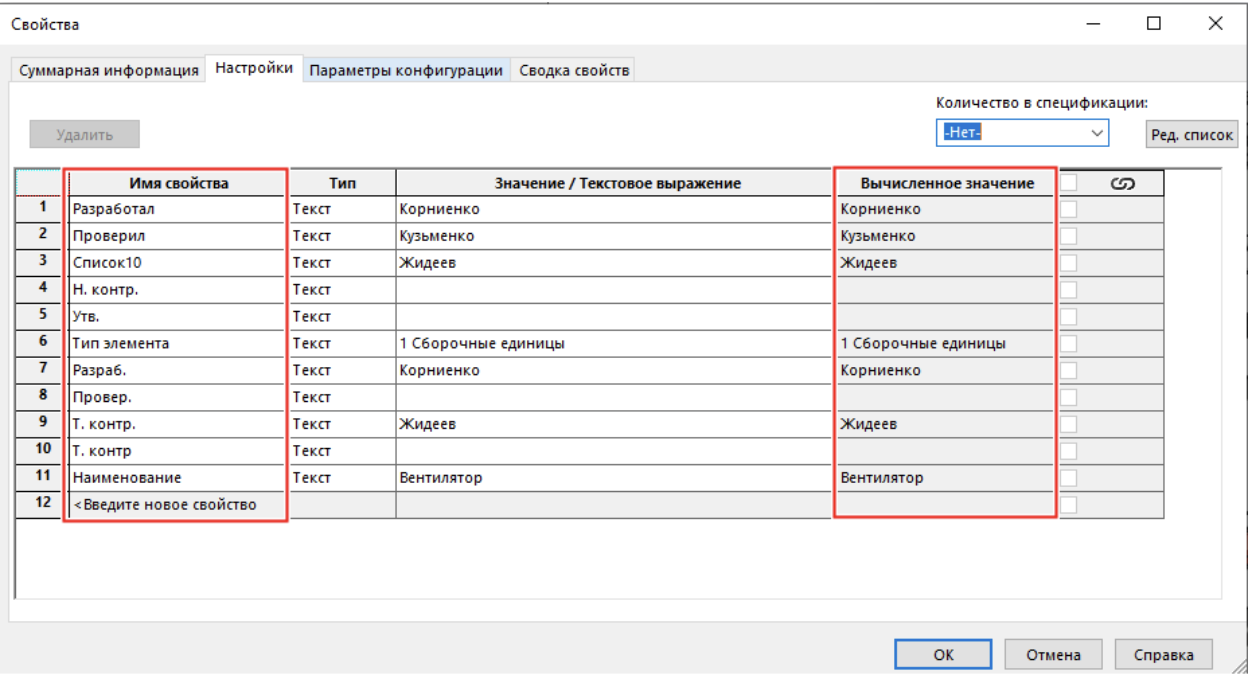
Using element properties
All the properties needed to fill in the parameters can be found in the document properties in SolidWorks:
Notes
- Make sure that the specified properties actually exist in the model and are readable.
- If the parameters are not filled in, the upload may contain incomplete data.
- Using the defrost function increases the processing time, but allows you to analyze more details.