Open the project
This section displays a list of previously created projects.
The table includes the following fields:
- Project name — the name or ID of the model;
- Program type — the software package in which the project was created;
- Date of creation — date the project was added to the system;
- Open — the button to download the selected project.
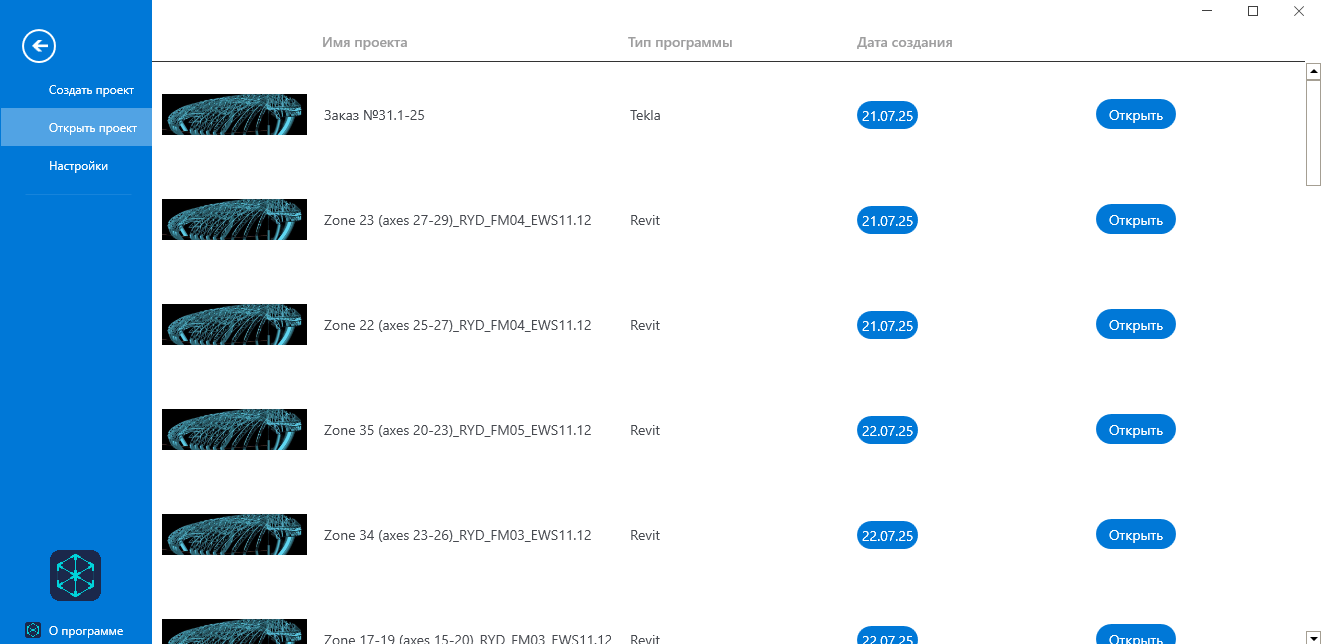
To open the project, select a row in the table and click “Open”.
After uploading the project, the functions of viewing, editing the model, and managing data become available for later sending to the server.