Installing the plugin
To install the plugin, use the provided installation file.
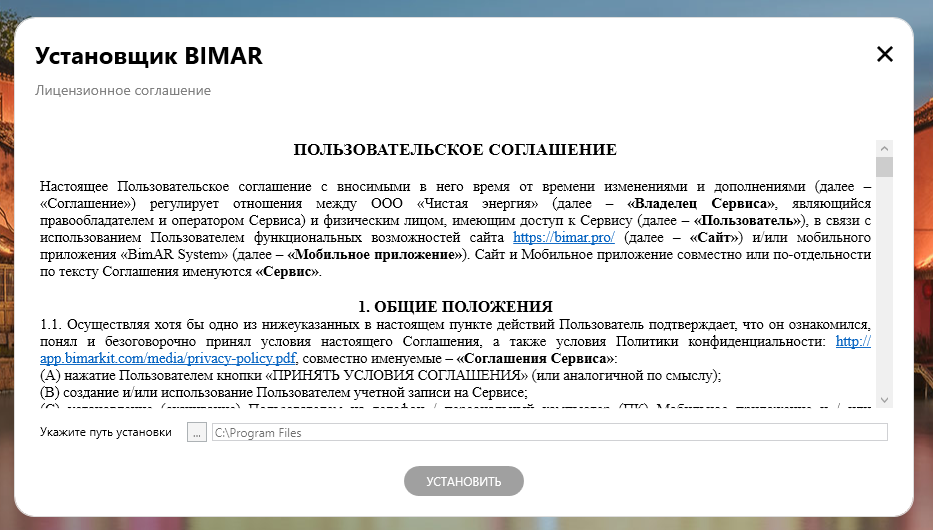
- Run the BIMAR SETUP installer.
- Review the license agreement. To continue the installation, you must accept the terms of the agreement.
- Specify the installation directory (by default —
C:\Program Files). - Click “Install” and wait for the process to complete.
After successful installation, a shortcut will be created on the desktop to launch the plugin.
IMPORTANT
If you are using a corporate closed network, inform your system administrator about the following settings:
- Open access to IP 80.249.150.140 ports 80 and 443.
- Open access to IP 158.160.9.182 ports 80 and 443.
Revit
To install the plugin for Revit , go to the section - About the program - information about the version and developer and click install the Revit plugin